Part 1 - Before you press record

You’re about to get married! Yayyyyyyy! Congratulations! I really mean that. But you aren’t here for my congratulations…no indeed. You are looking to film your own wedding, but you don’t have enough in your budget for a professional videographer or perhaps you have the money in your budget, but you rather spend it on other things. Maybe you want to put it towards your honeymoon, a down payment on a house, pay off college loans, or who knows. The fact of the matter is that you want video, but want it on the cheap. So the question is, “Now what?”

In this article we’ll discuss some practical tips for using your smartphone to turn you into a DIY wedding videographer. Although a smartphone may not be as good as the $10,000 of equipment brought by a professional videographer, it can still yield some pretty acceptable results if used correctly. Follow these tips and you’ll be on your way to capturing memories that you can replay for the rest of your life. 
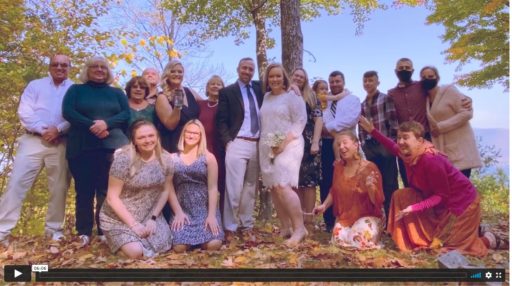
Gary & Kahla Video Thumbnail

I want to break this blog into two. This first section are some settings for your phone that you might want to disable or enable to make your recording a bit easier. And I’ll also show you some accessories that you may want to acquire to aid in your recording as well.

Anyway, let’s begin!
Best Tips for turning your Smartphone into a wedding video machine!

1) Shoot in FHD mode(1080P)

Most smartphones will have the option to shoot in 4k and you may think that more is better, but unless you have a powerful computer, 4k sometimes will have issues playing on your computer and it will eat through the storage space on your phone very quickly. There is nothing wrong with 1080p. It is less resolution, but it is still enough to be blown up on a giant movie screen.

2) Turn your smartphone horizontally

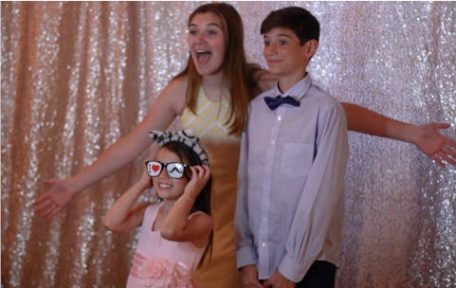
Horizontal = Wide screen. It’s easier to capture more when your screen is flipped on its side in landscape mode. You’ll be able to film yourselves, bridesmaids, groomsmen (if you have any) and more of your audience. Plus if you watch later on a tv screen it will take up the whole screen instead of only the middle.

Quick tip: Make sure you are not locked in Portrait mode or you will have a sideways vertical video. I’ve done this before. It’s annoying.

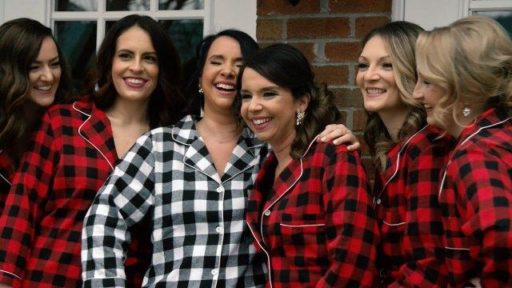
Ashley and Bridesmaids Century House Latham
Ashley and Bridesmaids Century House Latham 9_16

3) Turn on image stabilization and hold with two hands

Your phone should have an option for some kind of electronic image stabilization. Go into your video settings and turn this on. It will take the wobble out of your shot and make things look prettier when you are not on the tripod. And for added I would still hold with two hands for smoother footage.

4) Make sure your batteries are fully charged

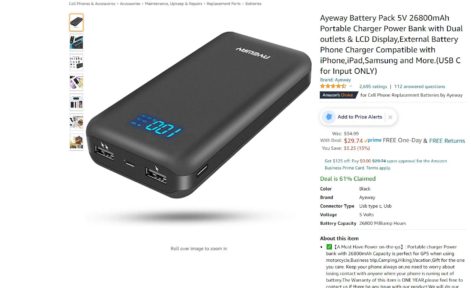
It would really stink if your phone died right before the I do’s and the kiss, so make sure your phone is fully charged during your ceremony. If you know you will be in an area where it may be difficult to find a power source consider purchasing a power bank. Then you can simply tape it to your tripod and plug in your phone, so you know your power will not run out.

5) Make sure you have storage space on your phone or SD card

Video takes up a lot of space, so if you are planning to shoot video footage from your wedding, it would be good to have at the very least 32gb of space, but 64gb would be optimal. If you have a phone that allows for an sd card make sure you add one to your phone. If you don’t you may want to temporarily remove some of the pics and video that are currently on your phone to your computer or flash drive. I would try to put it in two places just to be safe.

6) Put your phone in airplane mode

It would be terrible if someone called you during your wedding ceremony because this would not only potentially make an irritating noise, but it would also most likely stop your recording.

7) Who’s shooting?

Think about who will be shooting the video. Are you going to make guests aware that you are creating your own video, so they can feel free to shoot, or will you have one or two people doing the shooting for you? Your little brother and sister or something like that. Plan that out ahead of time. It could be one or both of you before the ceremony or first dance setting up a camera on a tripod. Have a plan in place, so your wedding day runs as smoothly as possible.

Accessories to consider

And here are a few accessories that you might want to consider purchasing to make your job a little easier.

1) Use a tripod when possible

Even though you will have image stabilization on, please use a tripod for the longer parts of your wedding such as ceremony and speeches. A tripod is not that expensive. You aren’t going to be panning or titling so a really basic one is all you need. And you will also need a cell phone adapter so you can mount it to the tripod. This tripod comes with one and in addition it can be adjusted to 72 inches. You typically want your tripod shots at eye-level. You can go shorter, but it doesn’t look as good.

2) Audio is just as important as the video

There are tons of mic options these days. I think it would be best to use a wireless mic system. There is a transmitter that clips onto your clothes and a receiver that plugs into your phone’s usb port. No wires, no fuss. I like the DJI brand. This should be placed on the groom and officiant for best results. DJI Mic Mini

Conclusion

This has been a few tips that will help you before you even get to your wedding, but in the next article, we will look at what you will need to do at your wedding and after the wedding to ensure that you have the best possible video. 

Gary & Kahla Video ThumbnailIf you would like your footage edited, but you don’t feel like doing it yourself, please reach out to me, and perhaps I can create something for you. 

Simply send your inquiries to mturner@mediahammock.com., and put “DIY Wedding Edit” in the title. 

-Michael W. Turner
If you’re looking for a wedding videographer in the Upstate NY area, please visit my wedding page.